


- Choosing a selection results in a full page refresh.
Got Questions?
Email us!
Couldn't load pickup availability
Free standard shipping on orders over $35 USA Domestic
Free shipping on orders over $100 for international
You may return most new, unopened items within 30 days of delivery for a full refund. We'll also pay the return shipping costs if the return is a result of our error (you received an incorrect or defective item, etc.).
You should expect to receive your refund within four weeks of giving your package to the return shipper, however, in many cases you will receive a refund more quickly. This time period includes the transit time for us to receive your return from the shipper (5 to 10 business days), the time it takes us to process your return once we receive it (3 to 5 business days), and the time it takes your bank to process our refund request (5 to 10 business days).
If you need to return an item, simply login to your account, view the order using the "Complete Orders" link under the My Account menu and click the Return Item(s) button. We'll notify you via e-mail of your refund once we've received and processed the returned item.
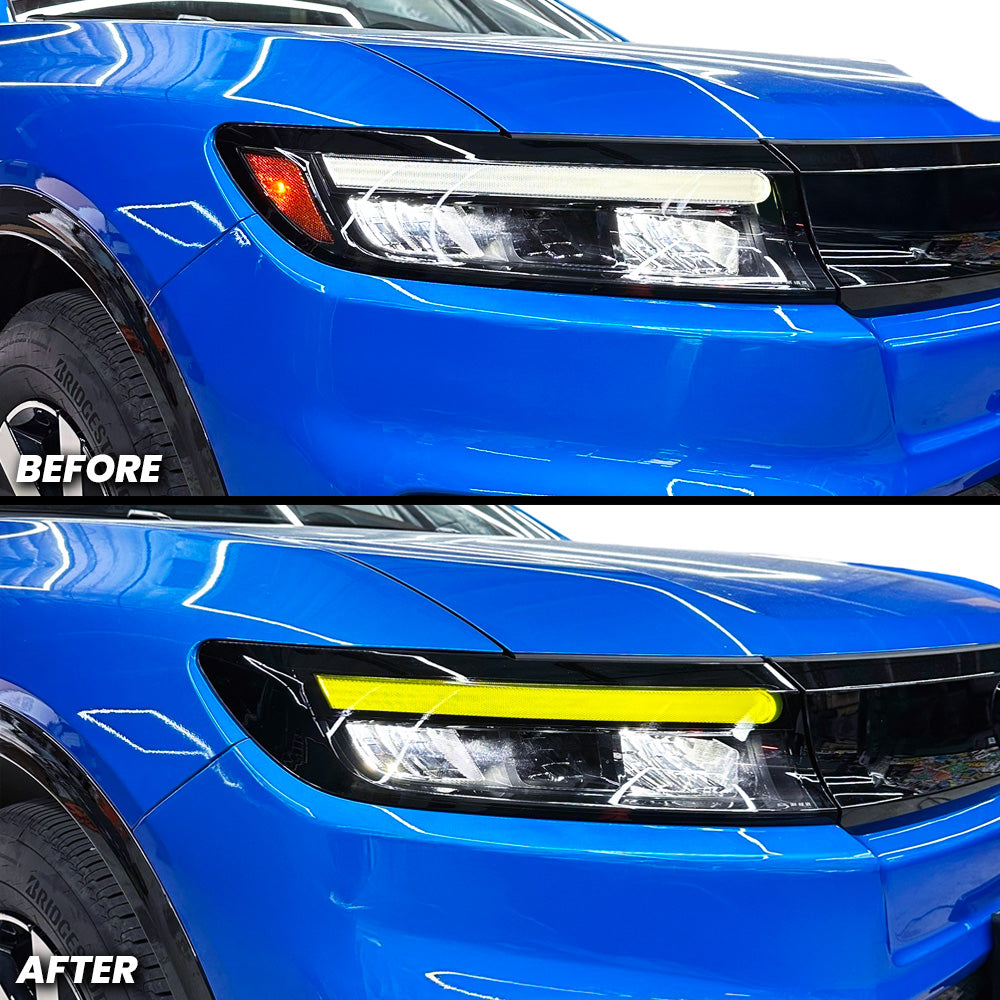
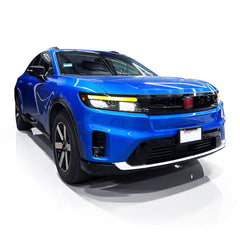
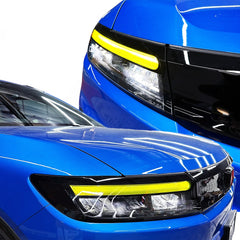
Transform your 2024+ Honda Prologue's front end with a bold Headlight DRL, daytime running lights, overlay that commands attention. Choose from multiple striking colors to inject personality into your ride while maintaining that sleek, aggressive aesthetic. Pre-cut for perfect fitment and designed for hassle-free installation, this daytime running light tint lets you customize without compromise. Make a statement that's subtle in execution but impossible to ignore on the road.
🔧Specifications:
🛠️How to Install 2024+ Honda Prologue Headlight DRL Tint:
For Best Results
Tools Needed: Heat gun or blow dryer, padded glove or felt-tip squeegee
Step-by-Step Installation:
📌 Reminder: Always post-heat the vinyl after installation. This activates the glue and ensures maximum adhesion.
📌2nd Reminder: Blackout Amber deletes have a thin plastic sheet that needs to be removed after post-heating.
📩 Need Help?
Questions? Contact our support team at:
📧 sales@aeroflowdynamicsoverlays.com
🛠️How to Install 2024+ Honda Prologue Headlight DRL Tint:
For Best Results
Tools Needed: Heat gun or blow dryer, padded glove or felt-tip squeegee
Step-by-Step Installation:
📌 Reminder: Always post-heat the vinyl after installation. This activates the glue and ensures maximum adhesion.
📌2nd Reminder: Blackout Amber deletes have a thin plastic sheet that needs to be removed after post-heating.
📩 Need Help?
Questions? Contact our support team at:
📧 sales@aeroflowdynamicsoverlays.com
You may return most new, unopened items within 30 days of delivery for a full refund. We'll also pay the return shipping costs if the return is a result of our error (you received an incorrect or defective item, etc.).
You should expect to receive your refund within four weeks of giving your package to the return shipper, however, in many cases you will receive a refund more quickly. This time period includes the transit time for us to receive your return from the shipper (5 to 10 business days), the time it takes us to process your return once we receive it (3 to 5 business days), and the time it takes your bank to process our refund request (5 to 10 business days).
If you need to return an item, simply login to your account, view the order using the "Complete Orders" link under the My Account menu and click the Return Item(s) button. We'll notify you via e-mail of your refund once we've received and processed the returned item.
We can ship to virtually any address in the world. Note that there are restrictions on some products, and some products cannot be shipped to international destinations.
When you place an order, we will estimate shipping and delivery dates for you based on the availability of your items and the shipping options you choose. Depending on the shipping provider you choose, shipping date estimates may appear on the shipping quotes page.
Please also note that the shipping rates for many items we sell are weight-based. The weight of any such item can be found on its detail page. To reflect the policies of the shipping companies we use, all weights will be rounded up to the next full pound.
Thanks for subscribing!
This email has been registered!