








- Choosing a selection results in a full page refresh.

Got Questions?
Email us!
Couldn't load pickup availability
Free standard shipping on orders over $35 USA Domestic
Free shipping on orders over $100 for international
You may return most new, unopened items within 30 days of delivery for a full refund. We'll also pay the return shipping costs if the return is a result of our error (you received an incorrect or defective item, etc.).
You should expect to receive your refund within four weeks of giving your package to the return shipper, however, in many cases you will receive a refund more quickly. This time period includes the transit time for us to receive your return from the shipper (5 to 10 business days), the time it takes us to process your return once we receive it (3 to 5 business days), and the time it takes your bank to process our refund request (5 to 10 business days).
If you need to return an item, simply login to your account, view the order using the "Complete Orders" link under the My Account menu and click the Return Item(s) button. We'll notify you via e-mail of your refund once we've received and processed the returned item.
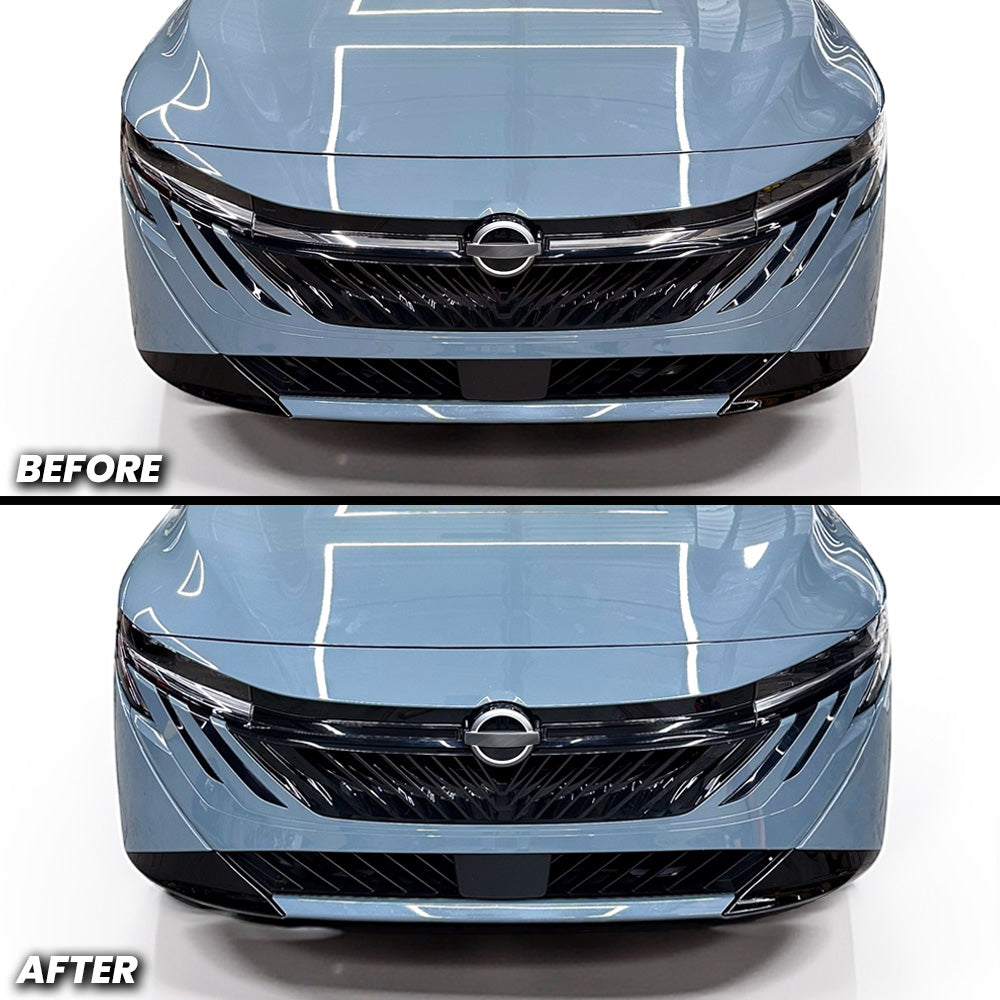
Ditch the chrome and unleash your Sentra's true attitude. This front bumper chrome grille black out overlay strips away the polished finish and replaces it with an aggressive, modern edge that turns heads instantly. It's the simplest way to give your ride that fierce character it's been missing. Just clean, dry, and apply, done in 10 minutes flat. No complicated installation, no hassle. One quick upgrade that completely transforms your Sentra's presence on the road.
🔧 Specifications:
🛠️How to Install:
For Best Results
Tools Needed: Heat gun or blow dryer, padded glove or felt-tip squeegee (not required)
Step-by-Step Installation:
Rinse the front chrome strip area with soap and water, or spray with 70% isopropyl alcohol to remove all debris before application.
Dry the front bumper chrome pin surface completely to ensure there is no dust or residue left in the surface or crevices.
Peel off one side of the chrome strip, either driver or passenger side, overlay off the backing.
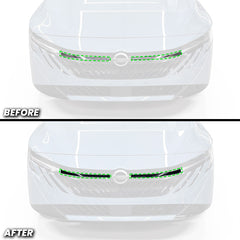
Align the side you peeled off at the edge of the chrome strip (Area closest to the headlight). Once aligned and tacked down, with your free hand; guide the rest of the overlay onto the chrome strip. The top of the overlay should be just beneath the black housing, In contrast, the bottom of the overlay will align with the bottom of the chrome strip, but over by about 1 mm to 2 mm.
Once aligned, the rest should fall into place. Begin applying the overlay by using your finger or a felt-tip squeegee in an up and down motion, pushing bubbles toward the nearest edge. Stretching may be required if you do not lay it on properly, but make sure all the chrome is covered - tucking the overlay into the crevice will be required.
Post-heat the vinyl: Use a heat gun or blow dryer to remove small bubbles and activate the adhesive for stronger bonding
If bubbles remain, press firmly with your finger or squeegee and swipe them out toward the closest edge.
If you make a mistake, gently peel off the overlay right away and reapply. Add light heat to remove wrinkles.
Important: Light Smoke and Gloss Black overlays include a PET liner that must be removed after installation. Dark Smoke may also include a PET liner. If you are unsure, please contact us.
📌 Reminder: Always post-heat the vinyl after installation. This activates the glue and ensures maximum adhesion.
📩 Need Help?
Questions? Contact our support team at:
📧 sales@aeroflowdynamicsoverlays.com
🛠️How to Install:
For Best Results
Tools Needed: Heat gun or blow dryer, padded glove or felt-tip squeegee (not required)
Step-by-Step Installation:
📌 Reminder: Always post-heat the vinyl after installation. This activates the glue and ensures maximum adhesion.
📩 Need Help?
Questions? Contact our support team at:
📧 sales@aeroflowdynamicsoverlays.com
You may return most new, unopened items within 30 days of delivery for a full refund. We'll also pay the return shipping costs if the return is a result of our error (you received an incorrect or defective item, etc.).
You should expect to receive your refund within four weeks of giving your package to the return shipper, however, in many cases you will receive a refund more quickly. This time period includes the transit time for us to receive your return from the shipper (5 to 10 business days), the time it takes us to process your return once we receive it (3 to 5 business days), and the time it takes your bank to process our refund request (5 to 10 business days).
If you need to return an item, simply login to your account, view the order using the "Complete Orders" link under the My Account menu and click the Return Item(s) button. We'll notify you via e-mail of your refund once we've received and processed the returned item.
We can ship to virtually any address in the world. Note that there are restrictions on some products, and some products cannot be shipped to international destinations.
When you place an order, we will estimate shipping and delivery dates for you based on the availability of your items and the shipping options you choose. Depending on the shipping provider you choose, shipping date estimates may appear on the shipping quotes page.
Please also note that the shipping rates for many items we sell are weight-based. The weight of any such item can be found on its detail page. To reflect the policies of the shipping companies we use, all weights will be rounded up to the next full pound.
Thanks for subscribing!
This email has been registered!